Double-Entry Bookkeeping
SWEN records every transaction using double-entry bookkeeping — the same system banks, businesses, and accountants have used for 500 years. In this section we try to explain the basics that can help a personal user.
The Core Rule
Every financial event has two equal and opposite sides:
Money does not appear or disappear — it moves from one account to another. This makes errors self-revealing: if the books don't balance, something is wrong.
Account Types
SWEN uses the standard five account types:
| Type | Tracks | Increases with | Decreases with | Example |
|---|---|---|---|---|
| Asset | What you own | Debit | Credit | Checking account, savings |
| Liability | What you owe | Credit | Debit | Credit card balance |
| Equity | Net worth | Credit | Debit | Opening balance account |
| Income | Money earned | Credit | Debit | Salary, interest |
| Expense | Money spent | Debit | Credit | Groceries, rent |
A note on Equity Accounts in SWEN
When first synchronizing bank accounts, SWEN has to create an opening balance that virtually stands for the bank account balance at the day of the first imported transaction. This means, the bank account balance matches SWEN's account asset balance.
A Worked Example
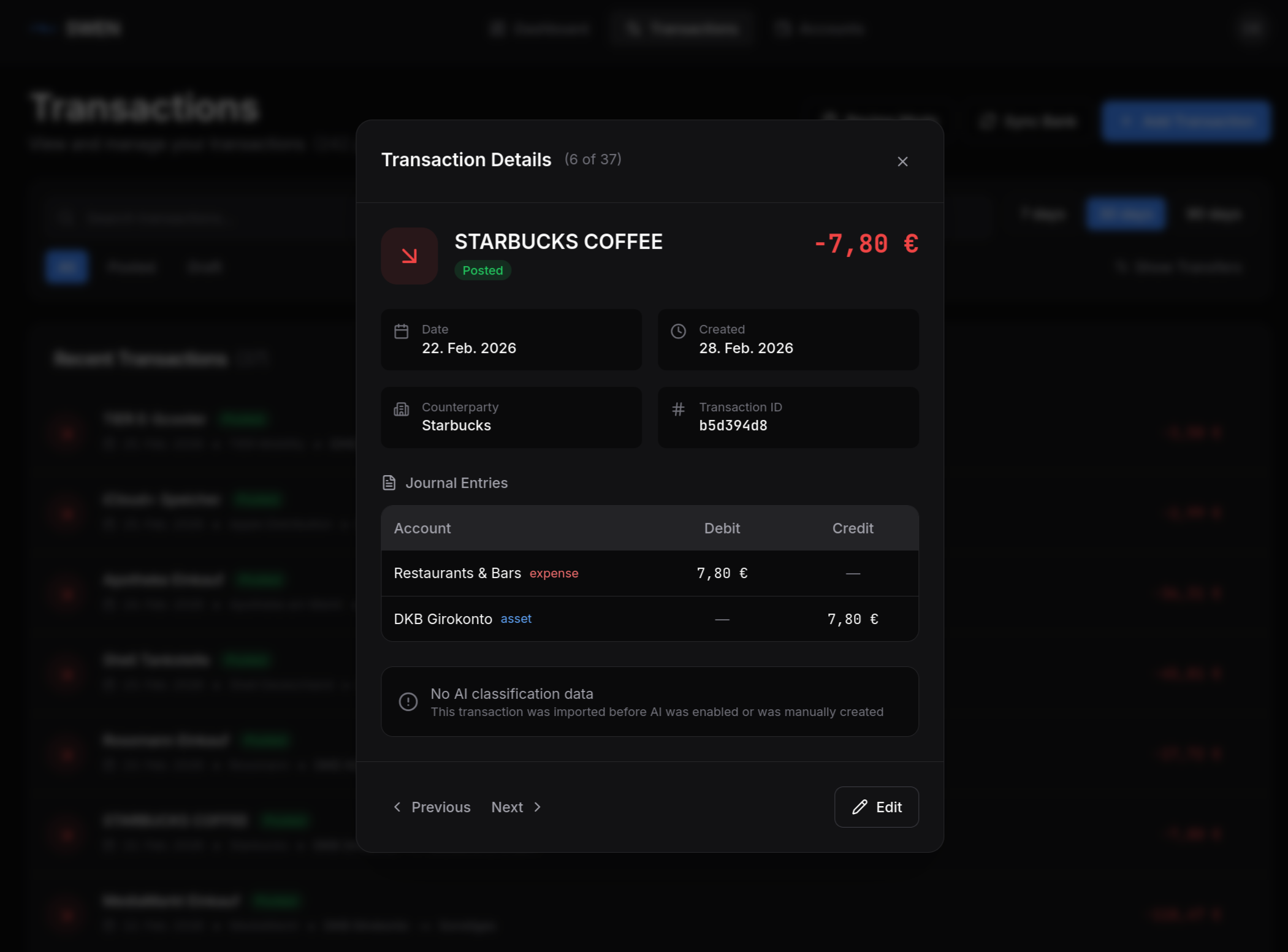
You pay €7.80 at Starbucks (if you can drink that 'coffee'). Your bank account (Asset) decreases; your Restaurants & Bars expense account increases.
| Account | Debit | Credit |
|---|---|---|
| Restaurants & Bars (Expense) | €7.80 | |
| Checking Account (Asset) | 7.80 | |
| Total | €7.80 | €7.80 |
In SWEN this looks like:
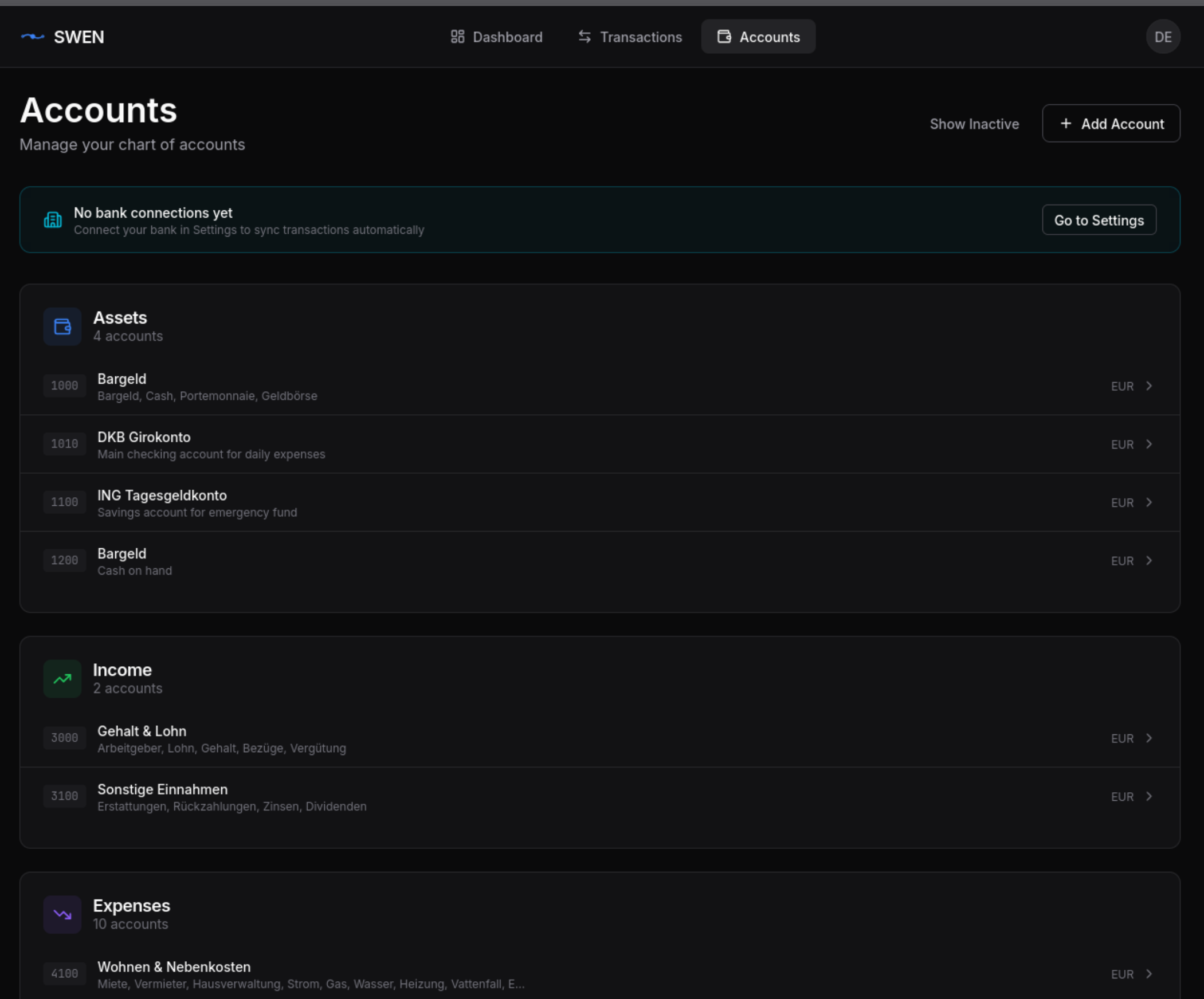
SWEN's Account Hierarchy
In the UI, the accounts are grouped under their respective types.
BankAccount vs Account
These two terms are often confused:
| Term | What it is | Example |
|---|---|---|
BankAccount |
Your actual bank account with an IBAN | DE12 3456 7890 0000 1234 56 |
Account |
A bookkeeping ledger account | Groceries (Expense) |
A BankAccount is always linked to exactly one Account of type Asset. When you import a bank statement, raw BankTransaction records are created. SWEN then creates a double-entry Transaction (journal entry) that posts the movement between the Asset account (your bank) and the appropriate counter-account (e.g. Groceries). The raw BankTransaction is also persisted in the database.
Draft vs Posted Transactions
| State | Meaning |
|---|---|
| Draft | ML has suggested a counter-account; awaiting your review and changes |
| Posted | You have confirmed the entry; included in all reports; immutable |
Drafts are work in progress but still affect account balances and can be shown in the analytics dashboard. When you click Post on a Draft transaction, SWEN:
- Validates that debits equal credits again
- Records the journal entry permanently and makes them immutable
- Marks the linked
BankTransactionas reconciled
Posted transactions must not be edited according to the double entry theory. To not make personal accounting too bureaucatic, we still allow to delete posted transactions. It is discouraged though.