FinTS / HBCI
FinTS (Financial Transaction Services), formerly known as HBCI (Home Banking Computer Interface), is a bank-independent protocol for online banking, developed and used by German banks (cf. Wikipedia).
The banking sector is highly regulated. This means, the German banking industry (Deutsche Kreditwirtschaft) requires all FinTS software to be registered. This requirement has been in force since 2020. Banks will reject connections from unregistered software. The registration is free and typically approved within a few weeks (yes, German bureaucracy...).
To connect SWEN to your German bank you need two things from Deutsche Kreditwirtschaft:
- A FinTS Product ID (a short alphanumeric code)
- The bank directory CSV (
fints_institute.csv) listing all participating banks
Both are configured through the SWEN admin UI — no config file editing needed after the initial setup.
Registeration
- Go to fints.org/de/hersteller/produktregistrierung
- Fill out the form:
-
Fill out the form:
-
Produktname: e.g. "SWEN Personal Finance"
-
Produktversion:
0.1 -
Hersteller: your name or organisation
-
Produktart: "Privatanwender-Software" works fine for self-hosted use
-
-
Submit — you will receive a confirmation email with your Product ID and a CSV file of bank routing data
Configuration in SWEN
Once SWEN is running:
- Log in as an admin user
- Go to Settings → Administration → FinTS Configuration
- Enter your Product ID
- Upload the institute CSV (
fints_institute.csv)
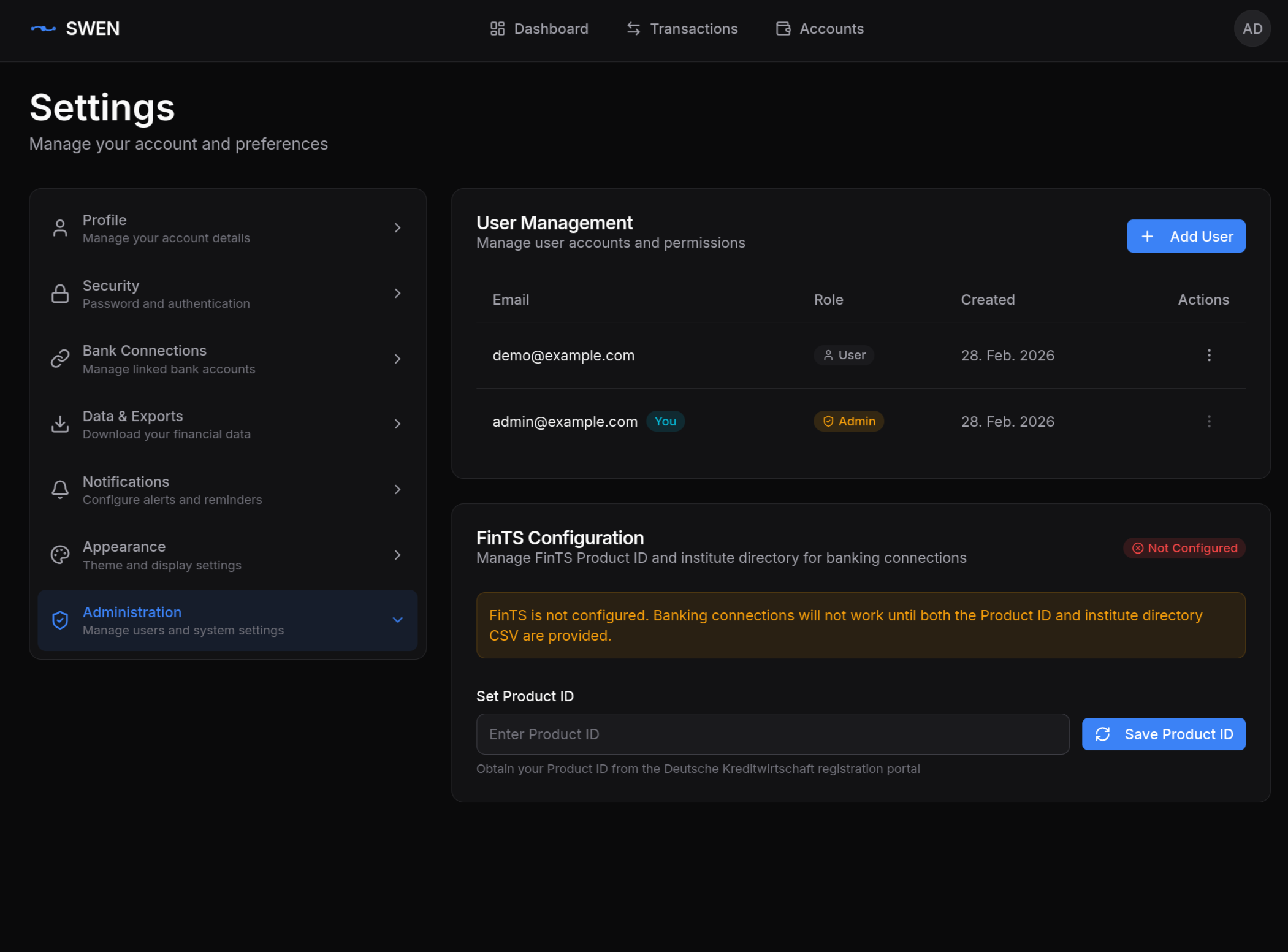
After saving, go to Bank Accounts → Add Bank Account to connect your first account.
Supported TAN Methods
SWEN currently supports the decoupled push-TAN method (used by apps like SecureGo, ING App, DKB App, Sparkasse App). The workflow is:
- SWEN initiates the FinTS request
- Your banking app sends a push notification
- You approve in the app
- SWEN polls for confirmation and completes the request
Not all TAN methods tested
While the decoupled method works with most German banks that offer it, other TAN methods (chipTAN, smsTAN, etc.) have not been thoroughly tested. If you encounter a problem, please open a GitHub issue.
Finding Your Bank
Unfortunately, not all German banks support FinTS (very young banks like N26 or Scalable Capital for example). Check the Subsembly bank list for an (admittedly outdated) overview of supported banks and their BLZ.
Known Limitations
Visa Debit IBAN Ambiguity
Some banks (notably ING) issue a separate IBAN for Visa Debit transactions that differs from your main IBAN. When mapping bank accounts in SWEN, you may see two accounts with very similar names. The correct one to use is your main GIRO IBAN — the Visa Debit transactions will still appear under the same account in most bank FinTS implementations.
TAN Timeout
FinTS TAN requests expire after ~120 seconds. If you do not approve the push notification in time, the import fails silently. Simply retry the sync — no data is lost.
Rate Limiting
Most banks limit FinTS requests to a few per minute. SWEN respects this by not parallelising bank requests.